Overview:
GuestHub is a guest engagement platform that allows hotel guests to access booking details, complete online check-in/check-out, make requests, and view hotel information through a digital portal.
How to Enable the GuestHub:
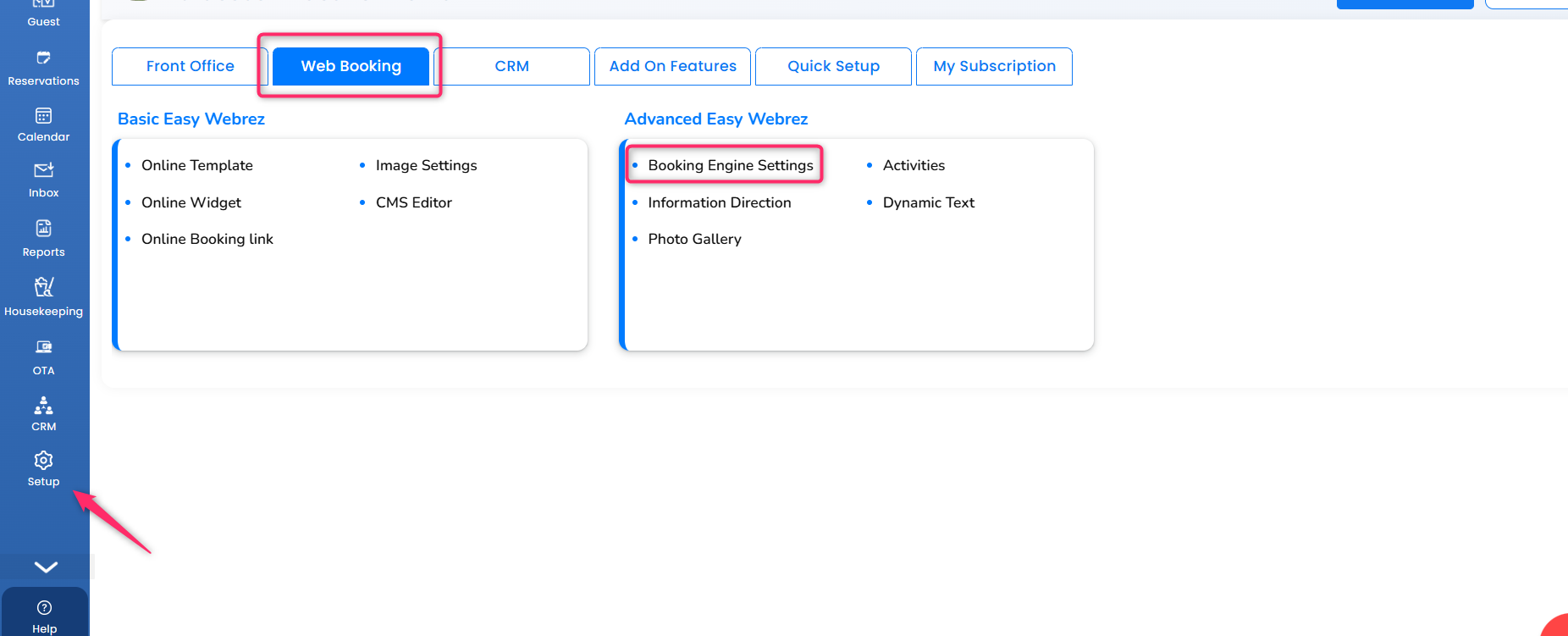
Go to Setup --->Web Booking --->Booking Engine Settings
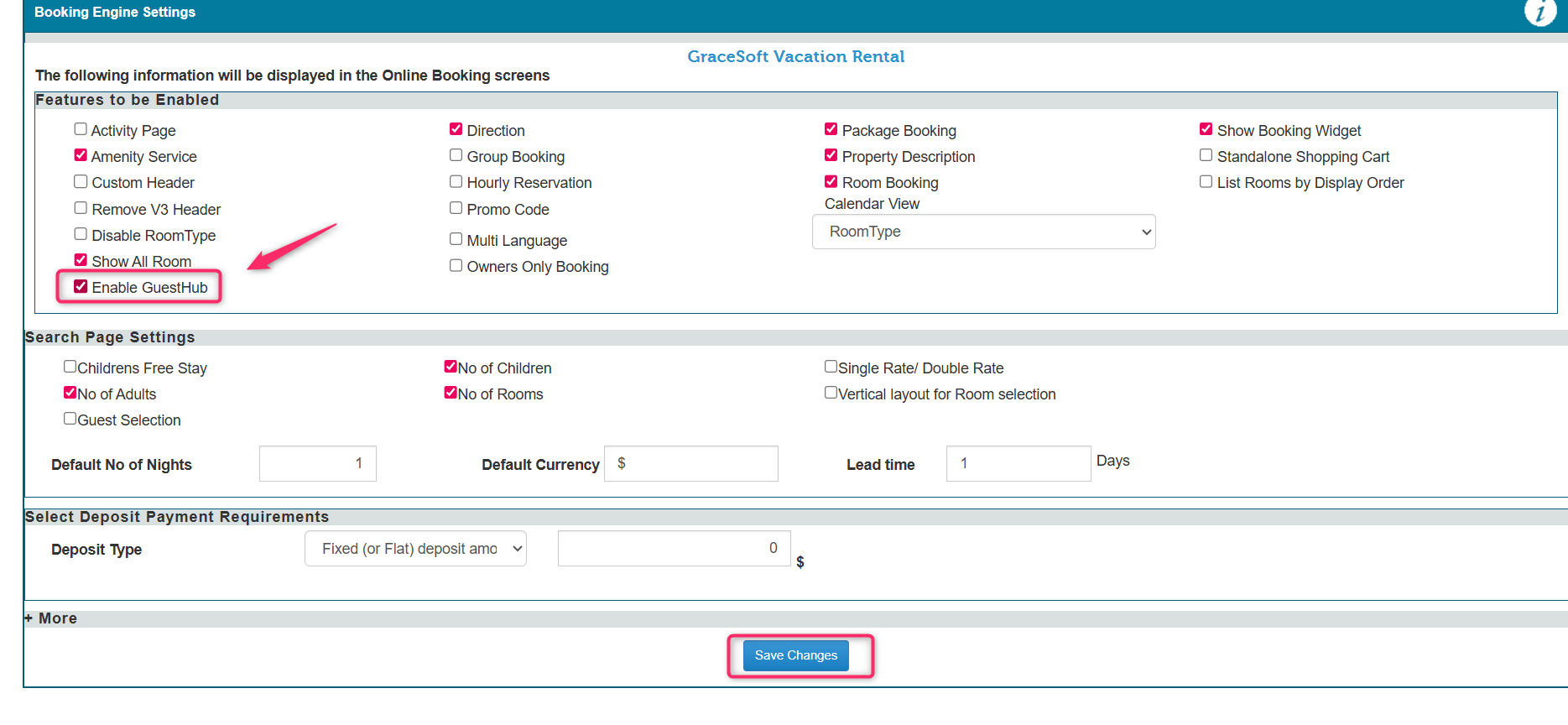
Click the Enable Guesthub
Then, Click the "Save changes"
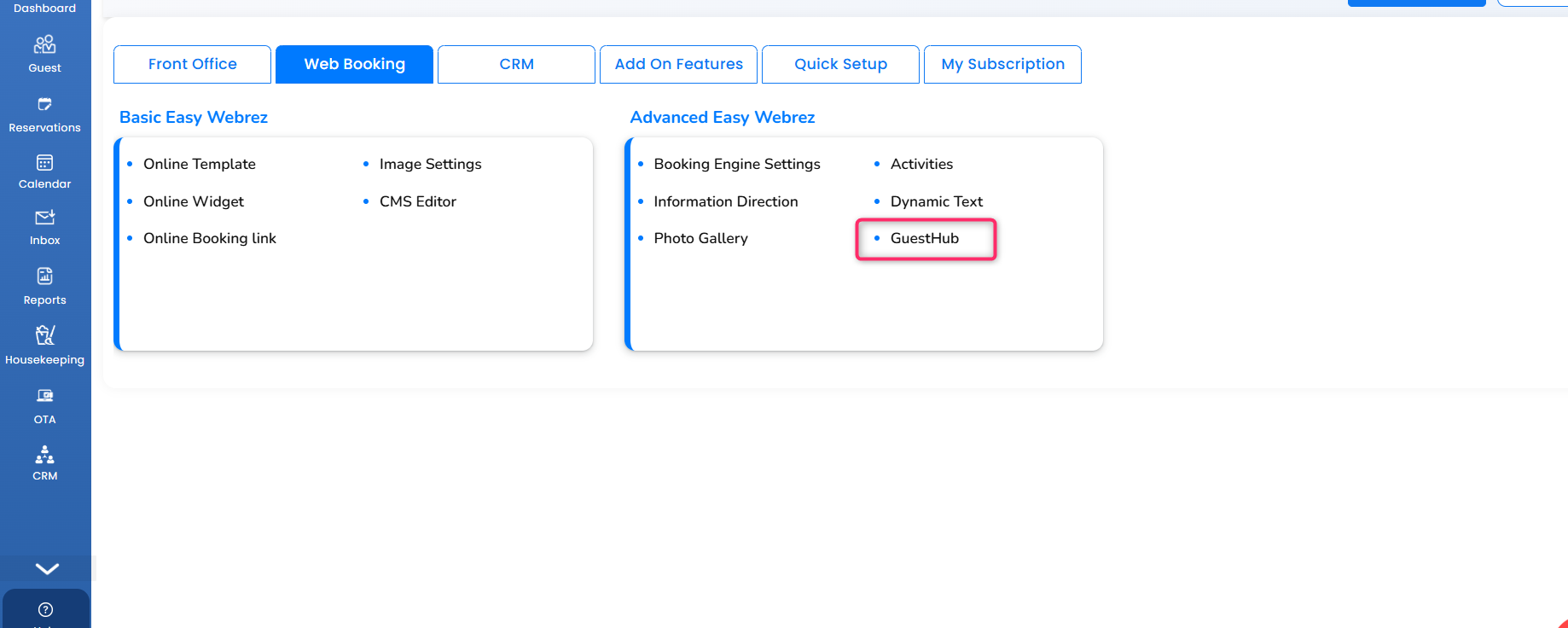
- Now GuestHub will be shown on the web booking page.
- Now you can use the GuestHub option.
How to Use GuestHub:
- Click the GuestHub
- GuestHub Access Page Will Open
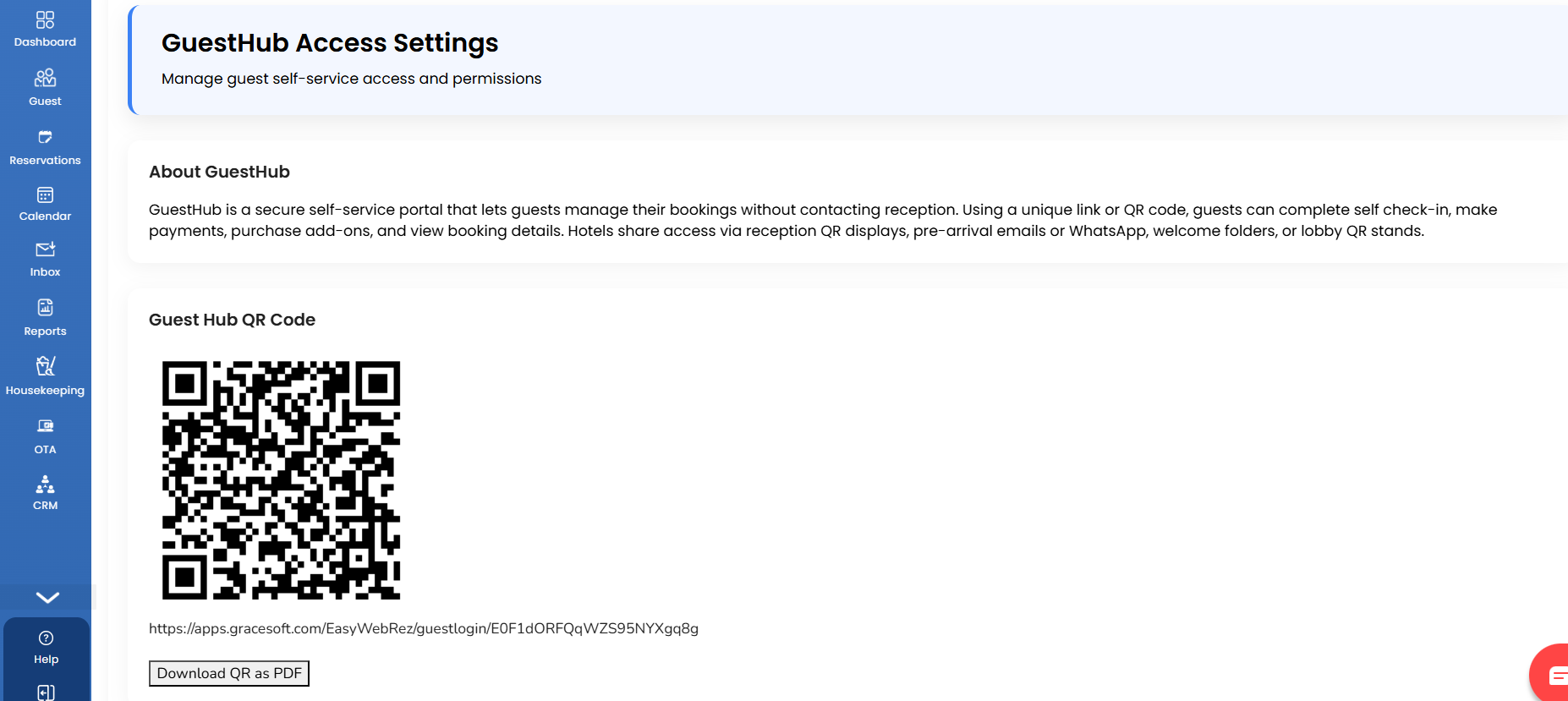
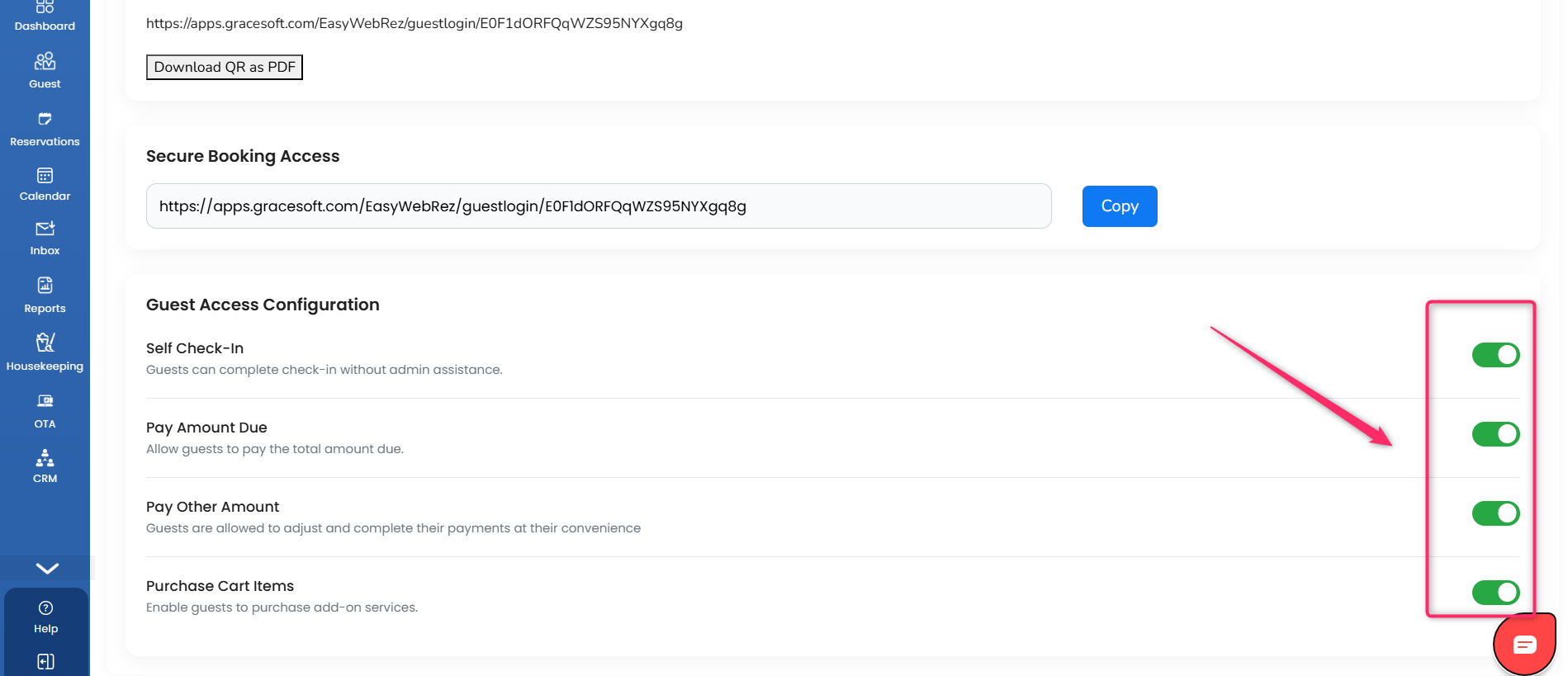
- Before doing everything, you need to enable all options in Guest Access Configuration.
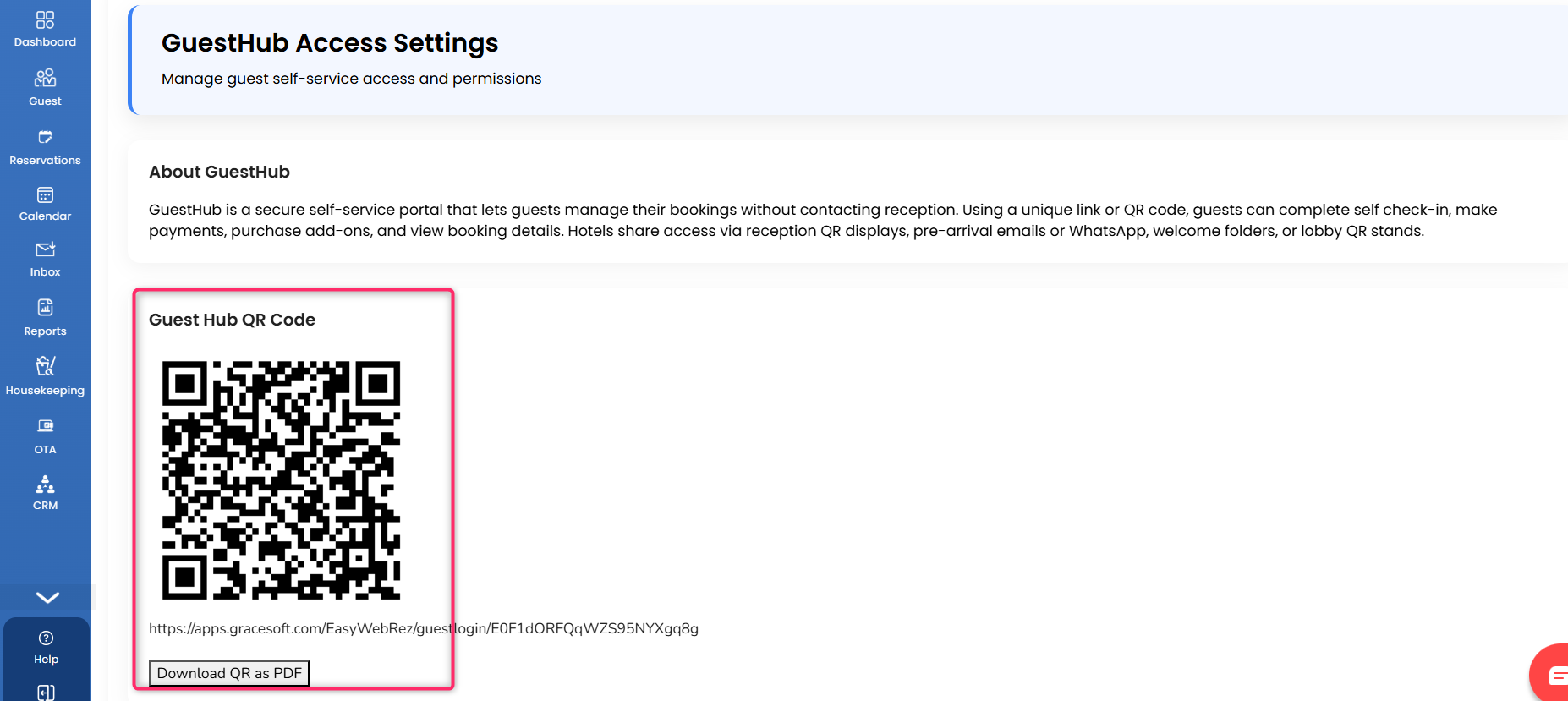
GuestHub QR Code:
You can scan this QR code to pay your amount and complete check-in and check-out yourself.
Please Note:
" Property Should be Configured with any payment gateway."
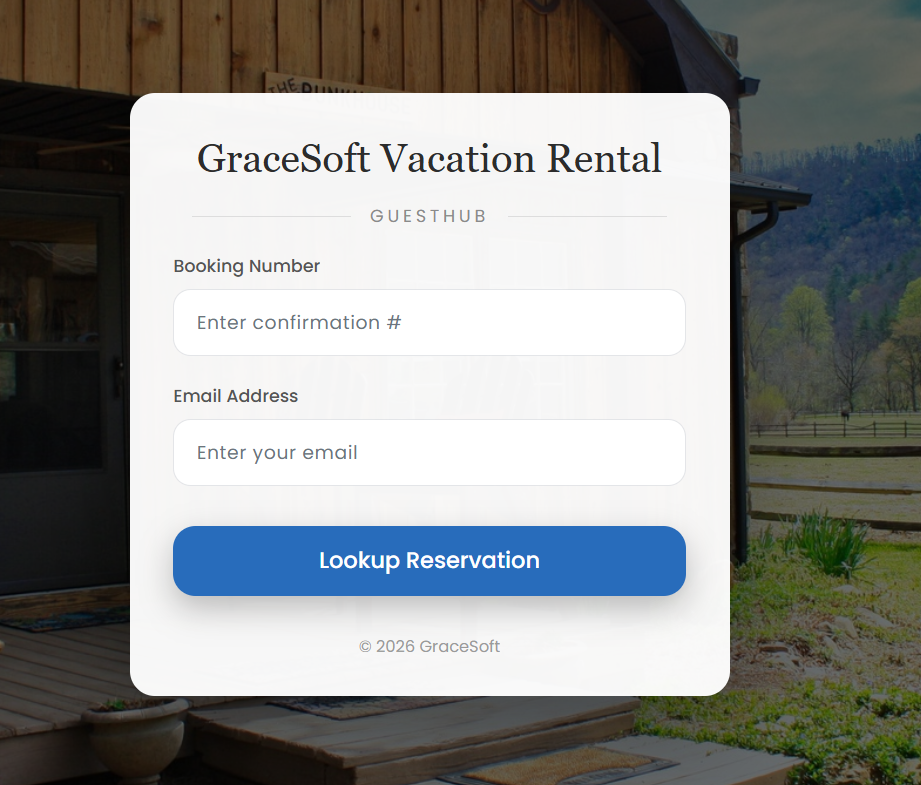
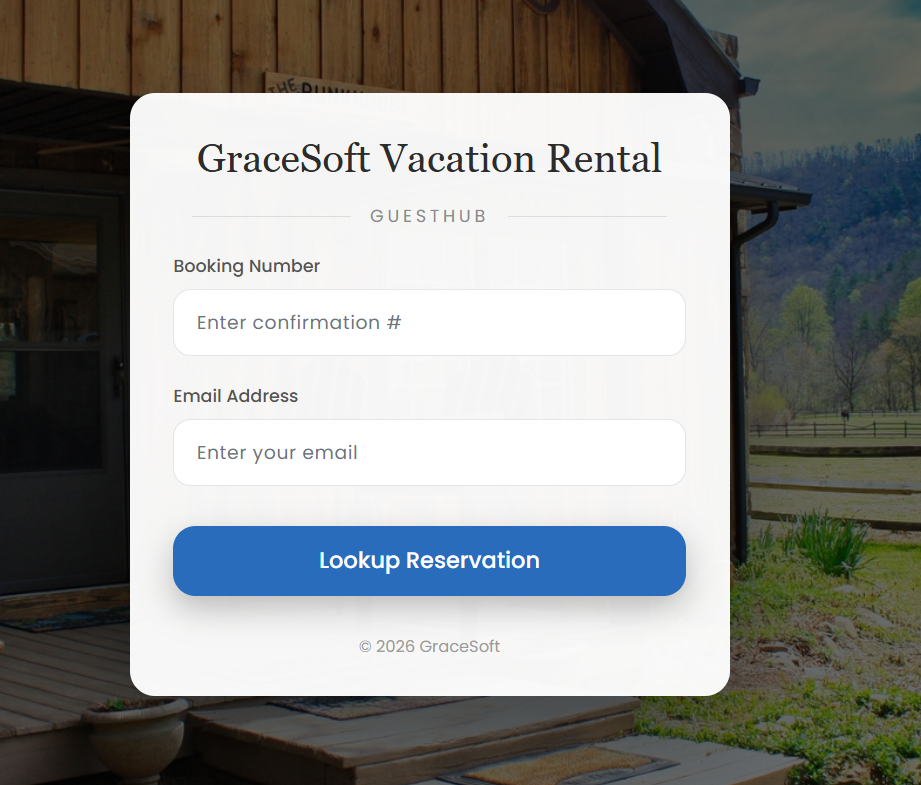
- Guest should enter their confirmation number and email address
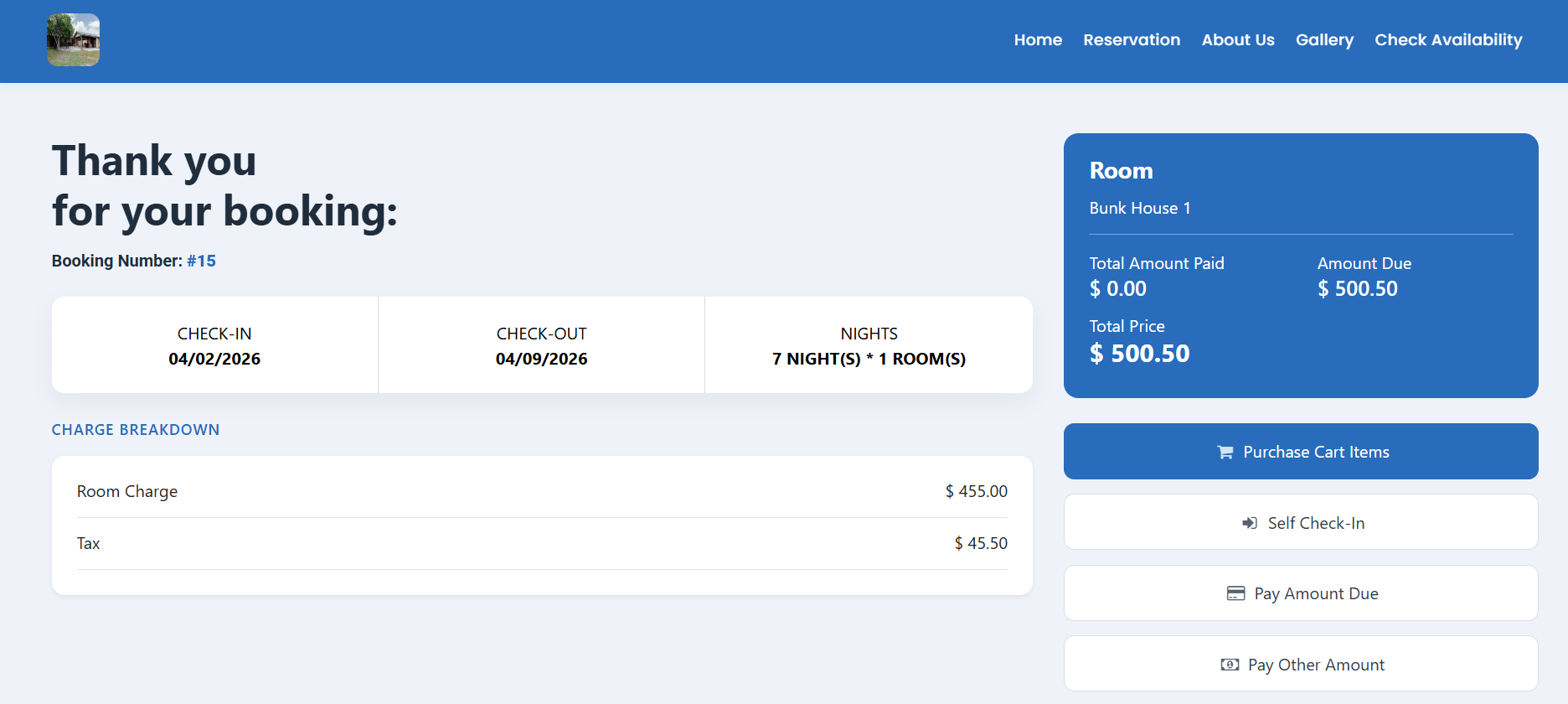
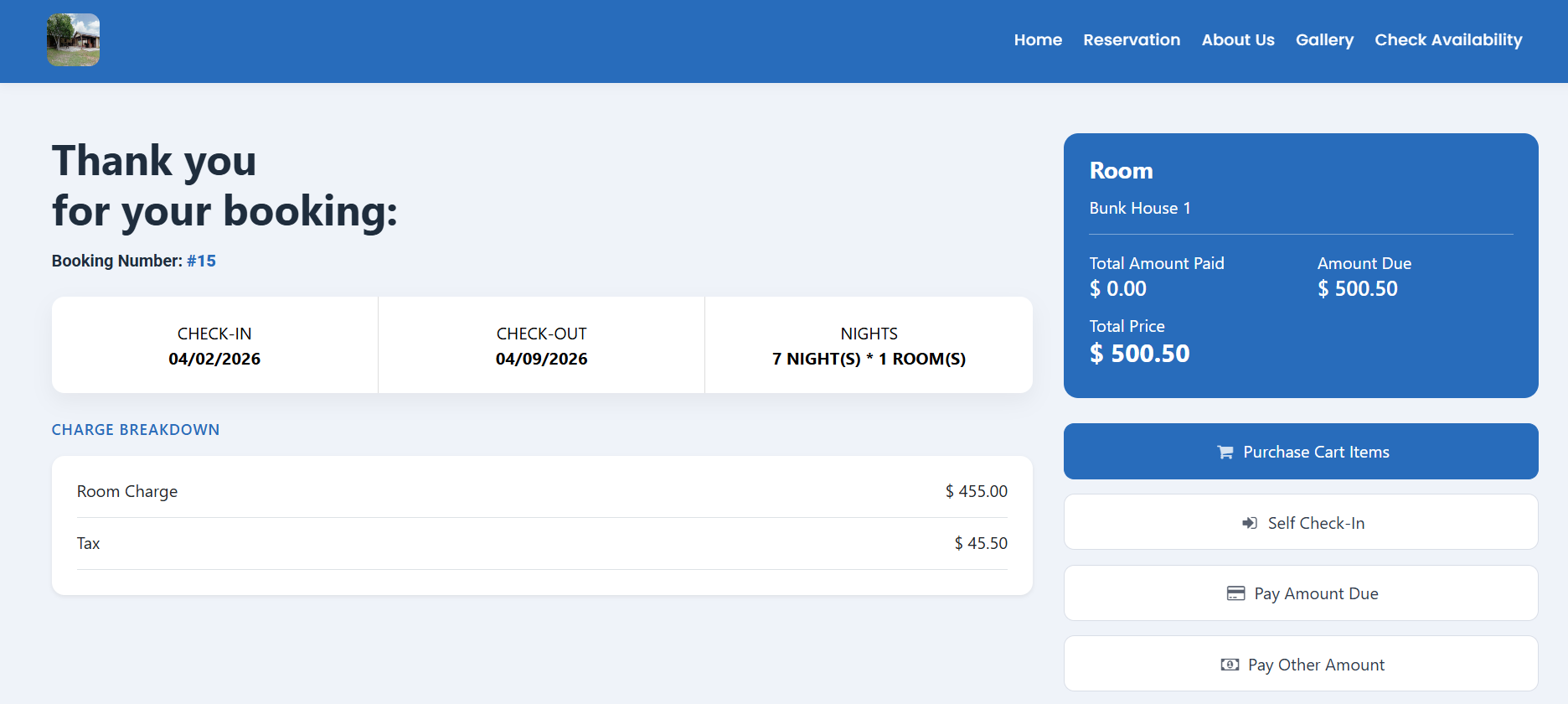
- After entering your details here, your booking page will open.
Please Note:
"Cart items should be predefined in the inventory items."
- You can click on the purchase cart items and add them yourself.
- Then, click on Self Check-In, and you can complete the check-in and check-out by yourself.
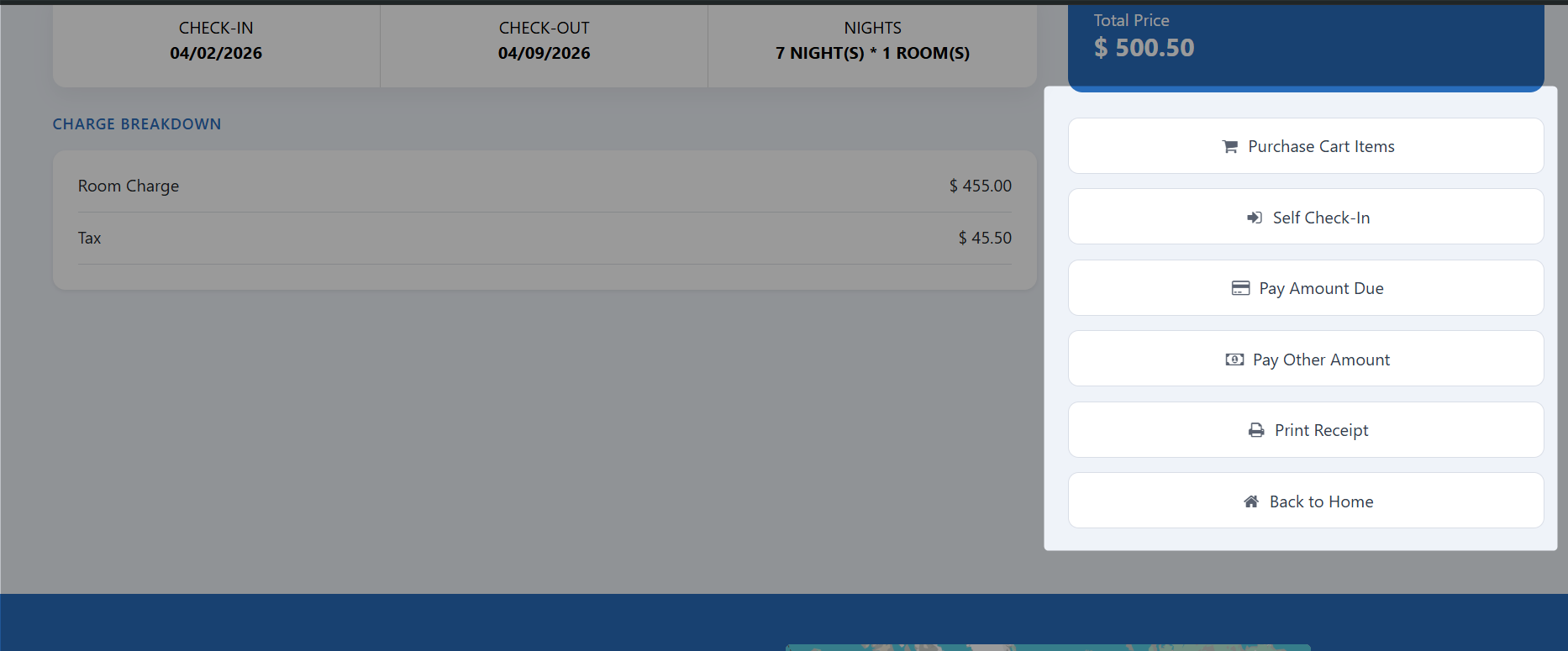
- Click on Your Payment Due, and you can make the payment yourself.
- Click on Pay Other Amount, and you can pay any other amount as well.
GuestHub Link:
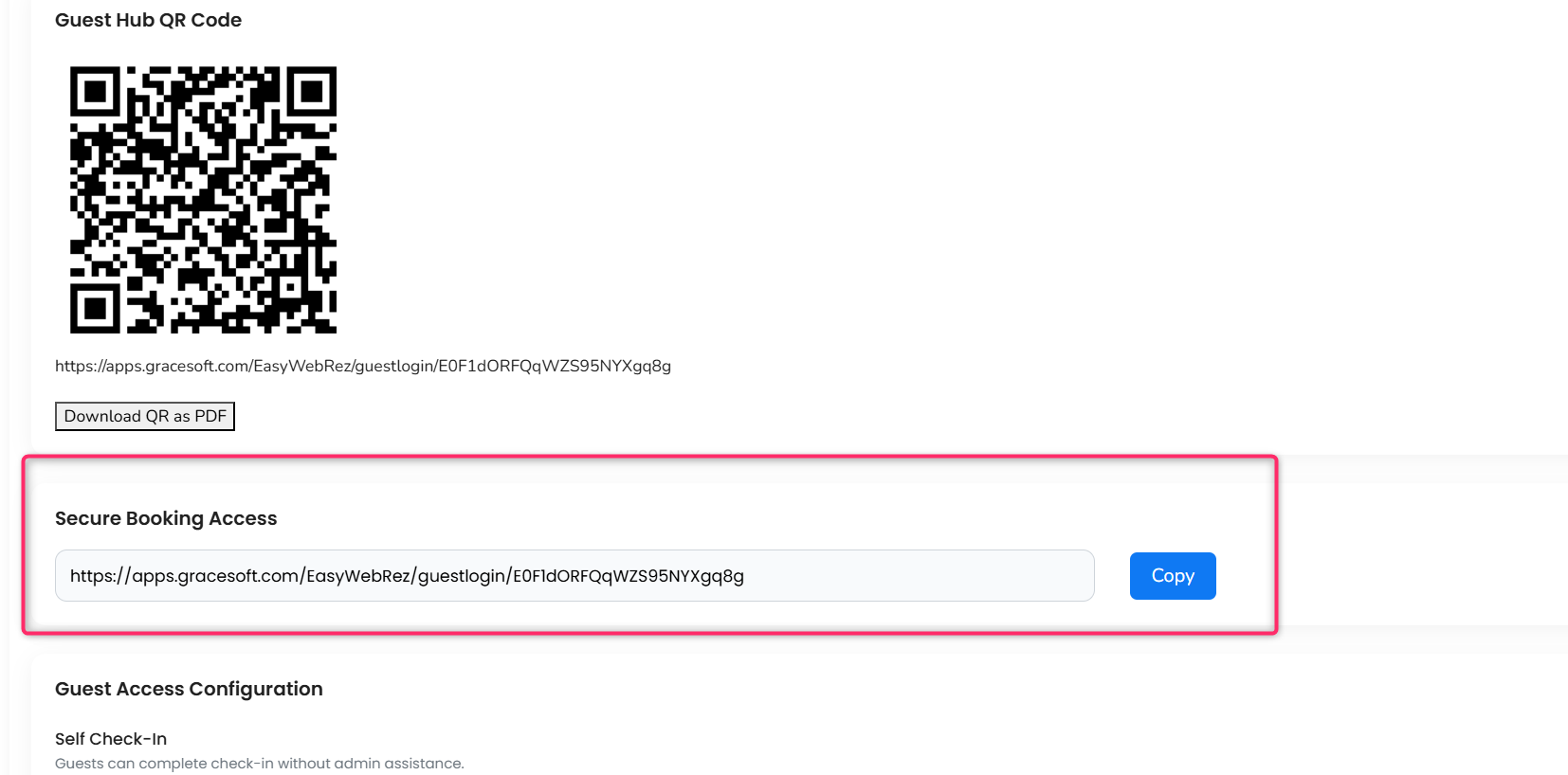
- Enter the link in your Browser.
- Then,Booking details page will open.
- Enter Your Details.
Was this article helpful?
That’s Great!
Thank you for your feedback
Sorry! We couldn't be helpful
Thank you for your feedback
Feedback sent
We appreciate your effort and will try to fix the article